

Here’s a few tricks I’ve learnt:
1. Natural is best
Natural light is the best friend of any photographer, unless of course you have a whizz-bang studio with wonderful lighting. Natural light gives photos a glow and makes everything more beautiful. So turn off your flash, and work with delicious natural light. The best times of day to shoot are morning and late afternoon {super soft and beautiful light}. If you’re shooting in the middle of the day, I find it best to shoot in the shade so it’s not so bright, or inside by a big window.
2. Work with what you’ve got
We’re limited with our control over the light on our iPhones, but there are a few things we can do. Moving around is one thing. Move about and try and find the best light for your photo. With a bit of practice you’ll soon learn what works best for you and your style. Shoot into the light/sun, shoot with the light/sun behind you. Try a few different ways and see what you like best.
I’m not a fan of using my flash, but it can definitely work for some photos. Use it and see if it works for you. At night, instead of using the flash, I try and find another source of light. You can sometimes just switch the light on right near your subject or the person you want to take photos of, or you can turn on a light not so directly on them to get a softer effect. If you want to get fancy and shoot food at night you can use a different light source like the iTorch app and have someone else shine the light on with their iPhone, and you shoot with yours. Technical? Yes! But anything in the name of a good photo!
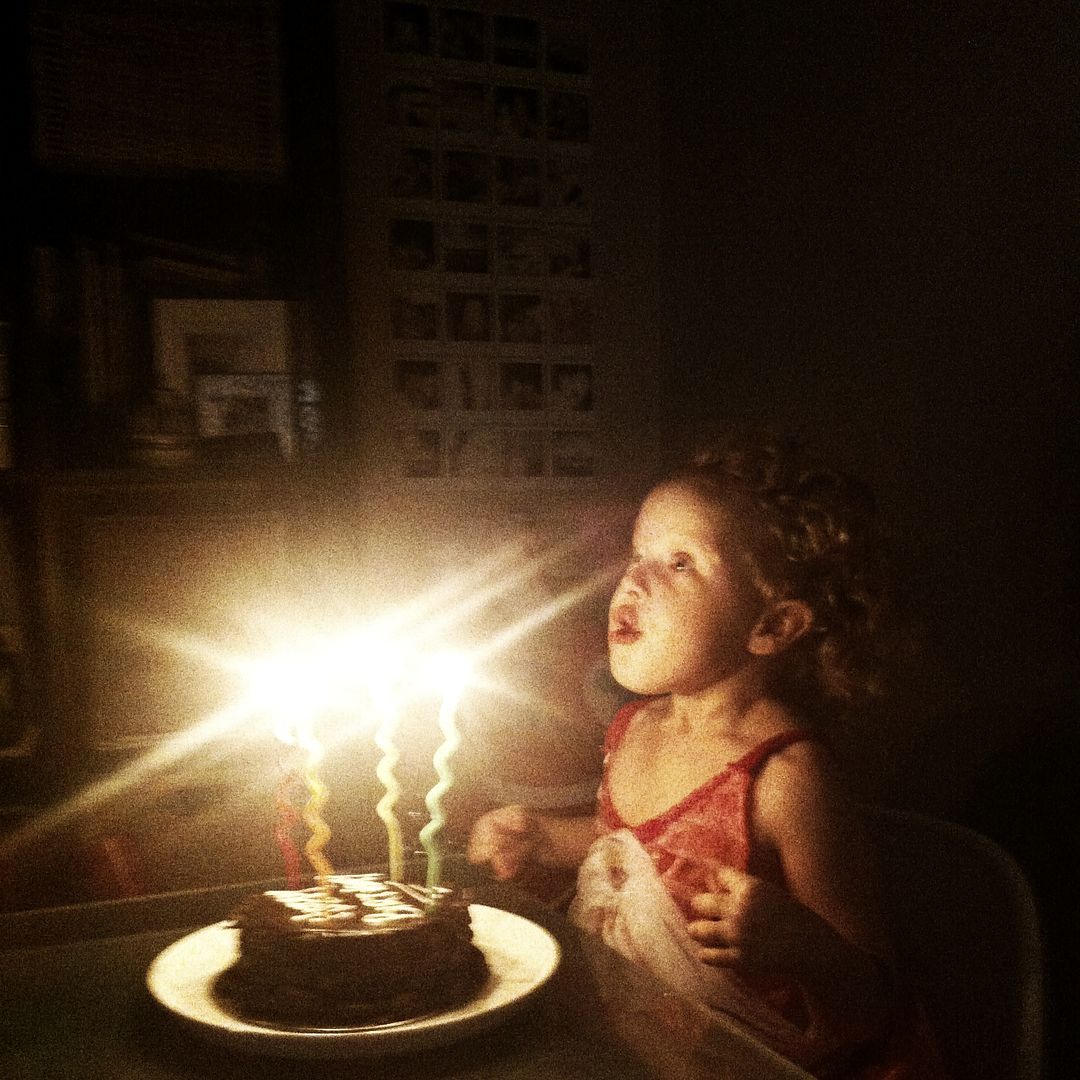
For the photo below of my daughter’s birthday we switched off all the lights, which you do when there’s cake and candles, and we shot without a flash, just using the light of the candles. It means the photo is grainy and soft, but I think it adds to the photo.
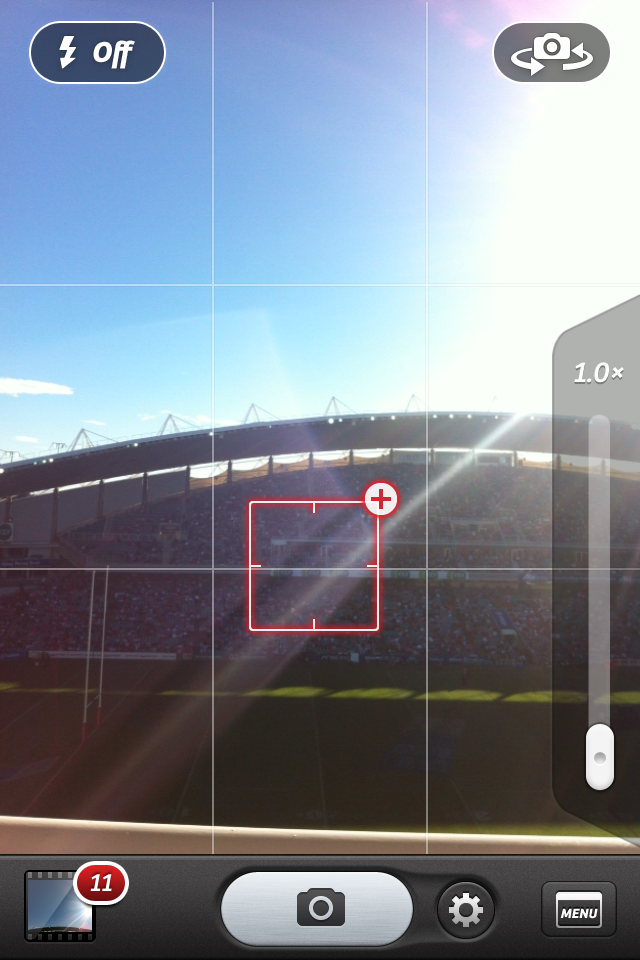
When you’re taking your photo you can fiddle with the focus. Whether you’re taking your photo with your iPhone’s camera, a camera app or Instagram you’ll see a square appear if you touch the screen {like below}. This is for the focus. Where ever you click on your screen it will make sure that part is in focus.

Sometimes when I’m taking photos I swear I can hear my iPhone screaming, ‘Ouch! My eyes! The sun is in my eyes!‘ OK, I can’t but boy do I give it a hard time. The other day I was at the beach shooting directly into the sunrise and my iPhone was having a hard time coping. It was too bright and it didn’t like it. Most of the time when I’m shooting directly into the light I can’t see my screen at all, because it’s too bright. I just snap away and choose which ones worked later on. When I was shooting the photo below, I couldn’t see a thing. My screen was black and the sun was making my eyes water. I shot 10 photos and got 4 that were worth keeping.

Below I’ve moved the sun to the side and not let it take up too much focus, as it has in the photo above. You can move about and just have a little sun, or a lot. Play around with the sunlight.

5. Get App Happy
If you just needed to take the photo and had no chance to fix the light or work with the sun, then you can definitely edit the photo to make it better. In Instagram alone you could add the lux feature {the sunshine button on the bottom left of your screen} which will give it a boost as well some of the filters {Sierra, Amaro and Rise are my favourites for boosting the light}. If you go to your camera roll and click edit in the top right hand corner, you can enhance your photos by click the magic stick. There are also a whole host of great apps that help make mediocre photos fabulous and I’ll take you through those soon.
Remember, I’m sharing the things I’ve learnt in time with taking photos with my iPhone. Of course each photo you take shouldn’t take hours to create, and I don’t imagine you’d want them to either. I’m sharing these tips in case you want to take better photos. You can consider each tip and use them as you wish. The most important thing is that photography should be fun, especially with your iPhone.
Happy snapping!
More in the How To Create Beautiful iPhone Photos series:

Interesting reading thanks 🙂
Nicely done! You play with light in some of the same ways I do, but also in very different ways. I've recently been using the focus to adjust lighting, but have had my phone kinda poop out on macro focusing. Any thoughts on a good macro app?
Thanks Chantelle – your iphoneography tips are always fabulous!
Brilliant explanation once again Chantelle xx
Loving this series. Thank you so much for the wonderful tips. look forward to hearing more 🙂
Popping over from Instagram, love these tips and I didn't know about the focus bit with lighting, will definitely be trying it out. Thank you!
Love the tips! I shoot mainly with my iPhone too and always great to learn interesting ways of taking photos with it. I've been trying out the rule of thirds too and trying to get interesting angles heh
Ai @ Sakura Haruka
Great tips yet again Chantelle. Thanks for sharing them.
I had to giggle about your phone crying to you about the sun in his eyes LOL!!!! My poor phone gets an overworking too. But I do love him dearly in return 🙂
x
Thanks for the advice!
Excellent tips!
Thanks.
You're talented in many ways, thanks for sharing your tips : ) I have been a blackberry girl but this year I've finally decided I'd like to join the masses, with my very own iphone. I'll be catching up on your tips x
Wonderful tips Telle! Thanks for sharing 🙂
Always wonderful to see more of your gorgeous photos. thanks for the tips. 🙂
That's awesome!
Thanks for sharing 🙂
i've just discover Hipstamatic and i love it!
Do you use it?
Xoxo
http://cansouplover.blogspot.com
Fantastic tips!
I have been a quiet follower of your blog for a while now. Its brilliant!
Thanks for sharing xxx
This was so helpful! I'm trying to make friends with my iphone camera because it is now the only one I have…
aHA! I didn't know how to move my focal point, and now I do! Question — on your sunflare photos, do you put your focal point right on the sun, versus just aiming into the sun? I aim at the sun, but don't get quite the flare you do. Just curious.
Awesome… thanks for the tips!
Love the tips! Love the I-phone and the fact that it is always with me. My DSL is great but a lot to lug around!
Today in case you were not aware is “hug and Australian Day” so I am sending you a virtual hug. (((( ))))) and hoping you had a very happy yesterday!
Great post, thanks for the tips!
GIVEAWAY // Win a £100 REISS gift voucher at http://www.PSbyDila.com
Thanks Chantelle!! Great post, I am often having trouble with the light wrecking my pics!!
Even though I'm an android geek I am enjoying following this iphone series. I am always inspired by your photos and was reminded of your style when I took this one the other day. http://followgram.me/i/179064705709048827_32151599
Sun flares! Just as you explain, I moved around to catch the light in the best way.
Keep the great ideas coming.
I used your rule of thirds today!! woot!! any chance you can share how to create the awesome collages/grids you do of your iphone pics? I seem to have endless issues with this! Thx hon, xx
Chantelle, this is a great tip. However , I find my photos frequently become over- exposed. Appreciate if you can offer any tip to avoid this? Thanks